 PuttStation.Get PuttStation
 Long putts · Lag Putting
Leave yourself a putt you want.
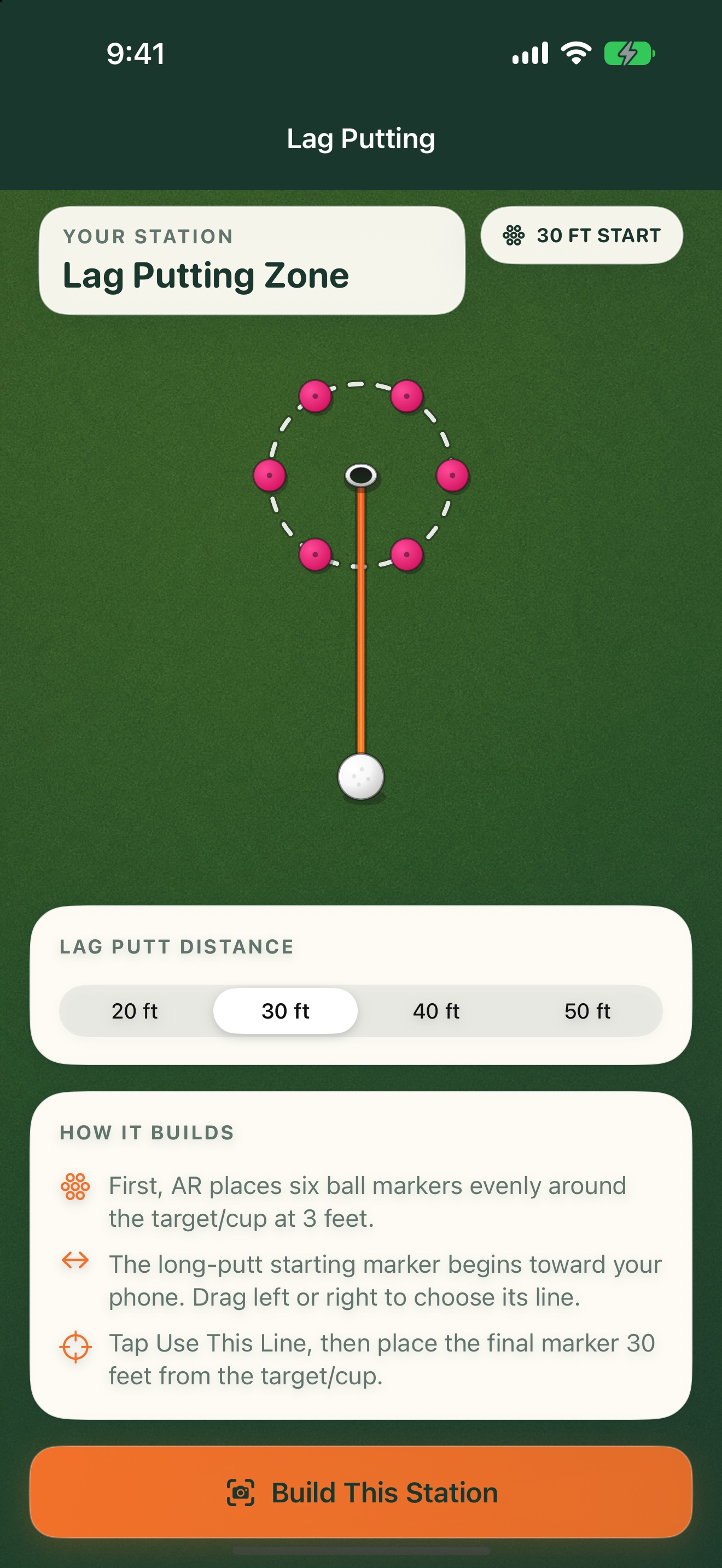
Choose 20, 30, 40, or 50 feet. PuttStation builds a six-marker ring three feet from the target and guides you to the starting spot on the line you choose.
GET A FEEL FOR THE SETUP
Make this
station yours.
See how often you can leave a long putt inside three feet.
The interactive plan illustrates the layout. You’ll use your iPhone camera to place the real station.
Six markers make a 3-foot-radius finishing zone.
ON THE GREEN
Build it.
Then work through it.
Set up your station
- 01
Choose a 20, 30, 40, or 50 foot putt.
- 02
Set the target and rotate the line toward open green.
- 03
Place the finish-zone markers, then follow the guidance to the start.
A SIMPLE SESSION TO TRY
1. Start with five balls from 30 feet.
2. Count how many stop inside the three-foot ring.
3. Repeat from the same spot, or change the line to test a different putt.
Keep your own score. PuttStation builds the layout; it doesn’t track putts.BRING A PLAN TO THE PRACTICE GREEN.
Make your next
practice count.
Your iPhone. A few tees and markers.
A better way to set up the work.