 PuttStation.Get PuttStation
 Start line · Start Line Corridor
Start it where you mean to.
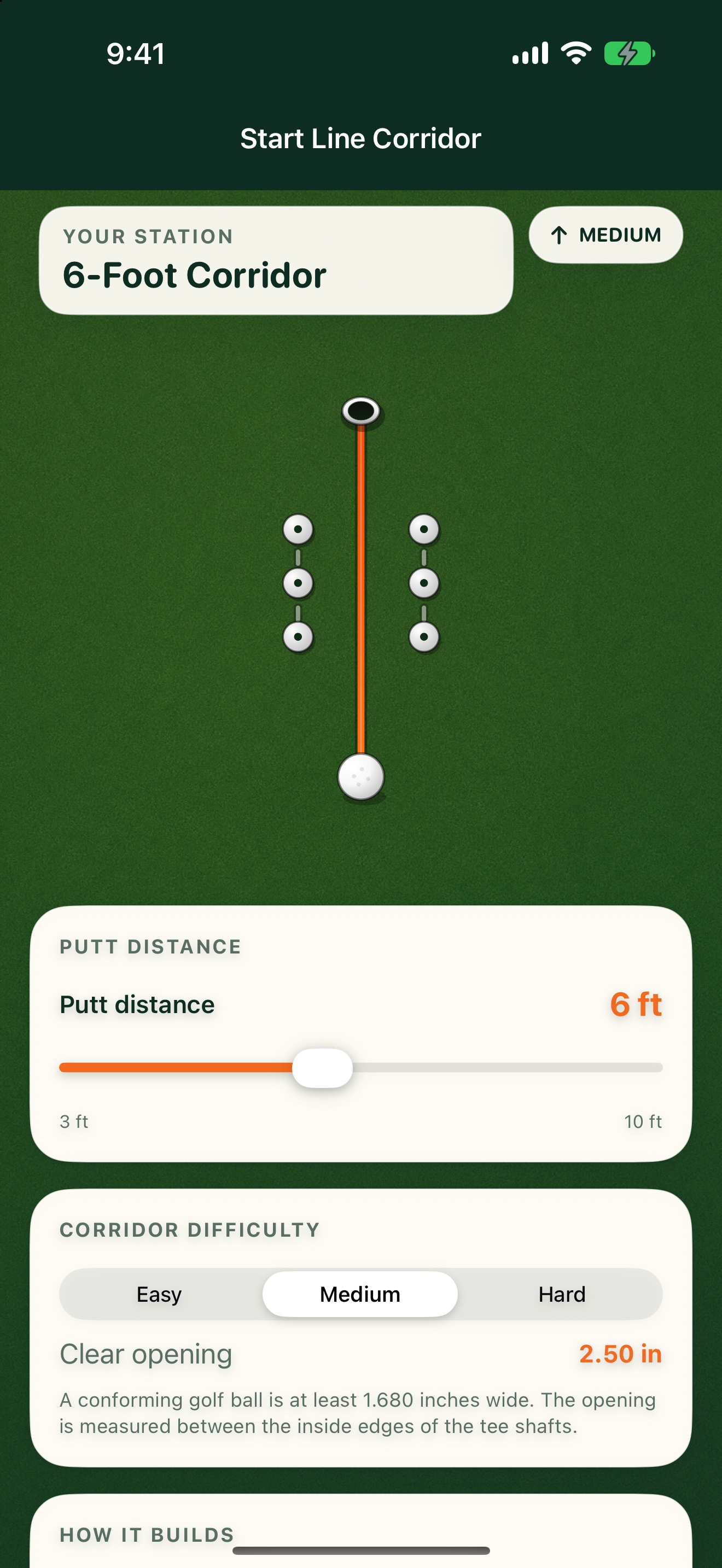
Choose the putt distance and corridor width. If the ball passes between all six tees without touching one, it stayed inside the corridor you selected.
GET A FEEL FOR THE SETUP
Make this
station yours.
Get immediate feedback on the ball’s start line.
The interactive plan illustrates the layout. You’ll use your iPhone camera to place the real station.
Start on Easy. Narrow the opening as you find your line.
2.50″ clear opening · six tees from 1–2 ft ahead of the ball.
ON THE GREEN
Build it.
Then work through it.
Set up your station
- 01
Choose the putt distance and corridor difficulty.
- 02
Set the target and aim the line you want to test.
- 03
Place all six tees, then roll the ball through without touching one.
A SIMPLE SESSION TO TRY
1. Start from 6 feet on Easy.
2. Roll five putts through the corridor.
3. Move to Medium after five clean starts in a row.
Keep your own score. PuttStation builds the layout; it doesn’t track putts.BRING A PLAN TO THE PRACTICE GREEN.
Make your next
practice count.
Your iPhone. A few tees and markers.
A better way to set up the work.