 PuttStation.Get PuttStation
 Distance and break · Spiral
A new distance. A new angle.
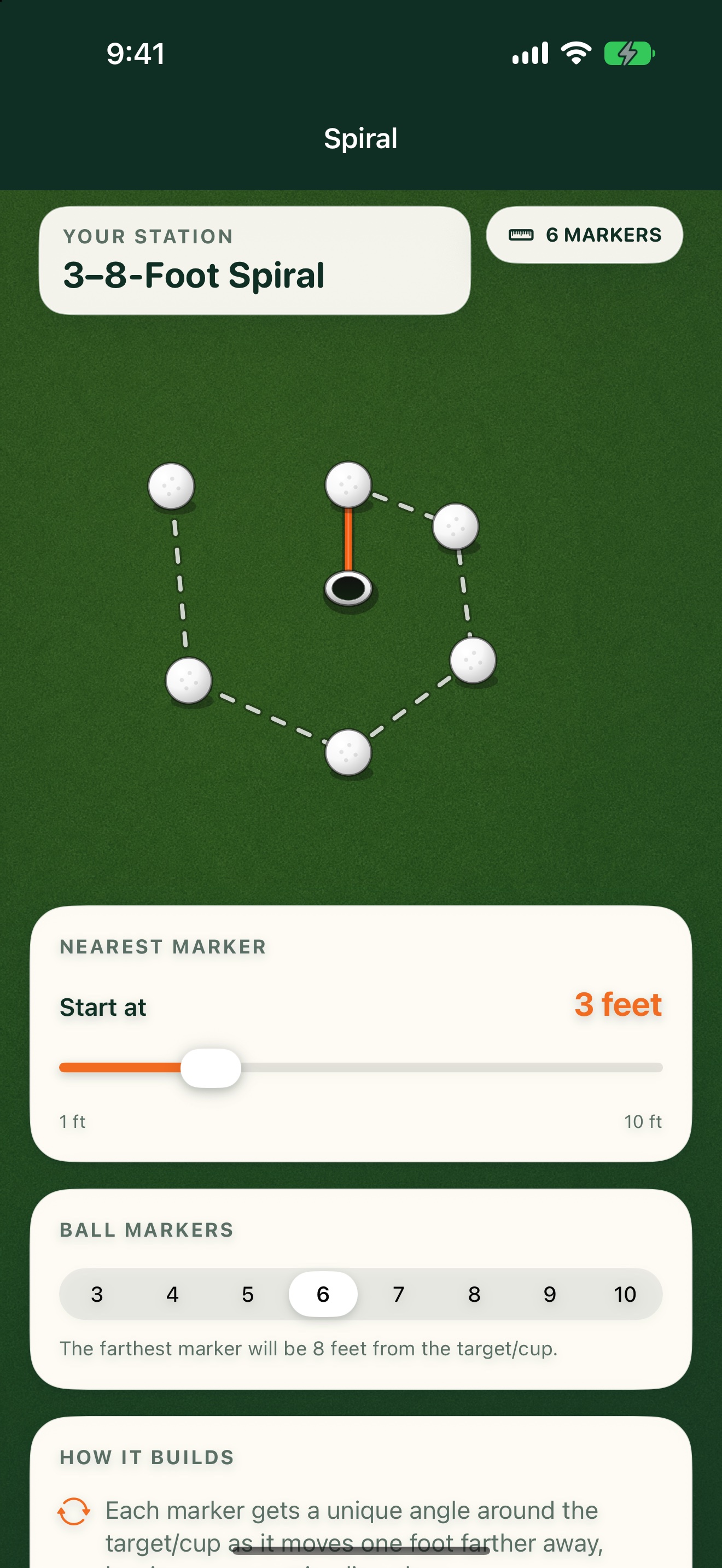
Start at the distance you choose. Each new position moves one foot farther away and rotates around the target, so every putt gives you a different distance and angle to work on.
GET A FEEL FOR THE SETUP
Make this
station yours.
Work on distance and break without stopping to rebuild the station.
The interactive plan illustrates the layout. You’ll use your iPhone camera to place the real station.
ON THE GREEN
Build it.
Then work through it.
Set up your station
- 01
Choose the nearest putt and total number of positions.
- 02
Set the target or cup center.
- 03
Place the markers as the pattern moves outward around the target.
A SIMPLE SESSION TO TRY
1. Start at 3 feet with six positions.
2. Work from the shortest putt to the longest.
3. Then reverse the order and work back toward the cup.
Keep your own score. PuttStation builds the layout; it doesn’t track putts.BRING A PLAN TO THE PRACTICE GREEN.
Make your next
practice count.
Your iPhone. A few tees and markers.
A better way to set up the work.